TrackStack Studio · iPhone · iPad · Mac

The studiothat fits inyour pocket.

Record over your beat, fix one line without starting over, tune it, mix it, master it and send it to the world — or to your collaborator across town.

SCROLL

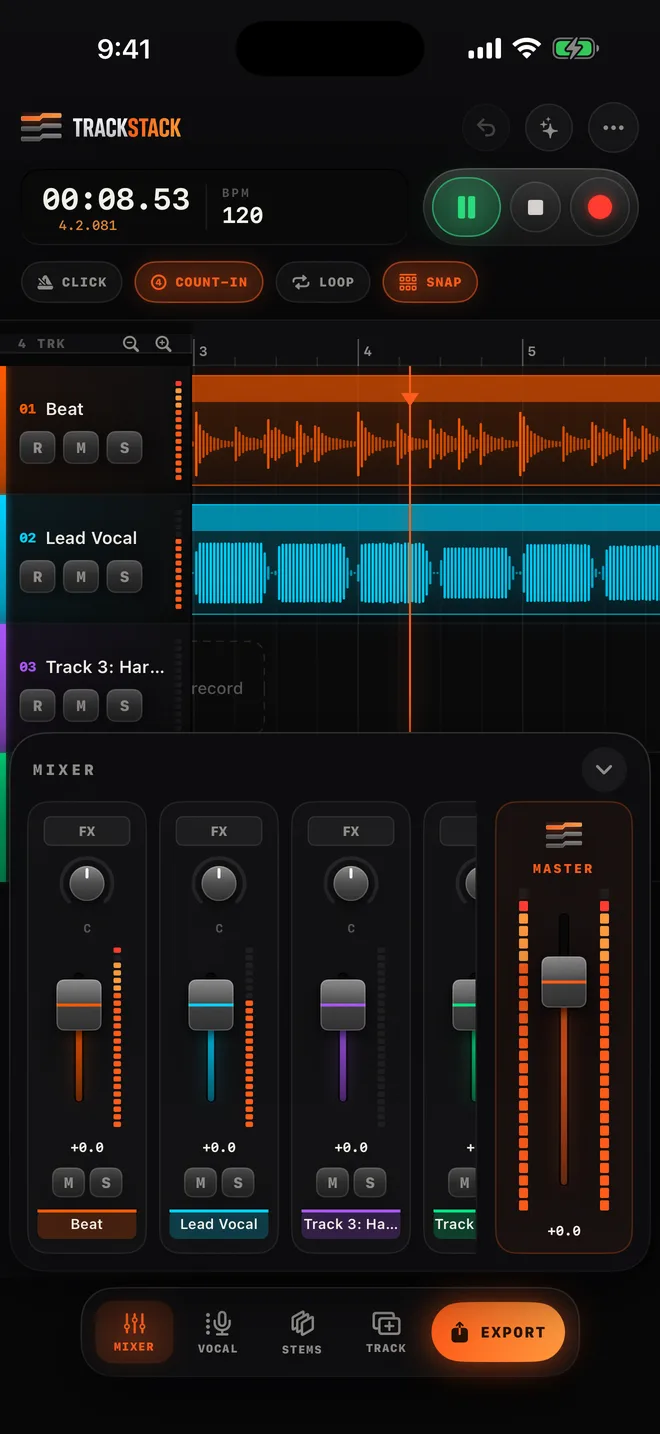
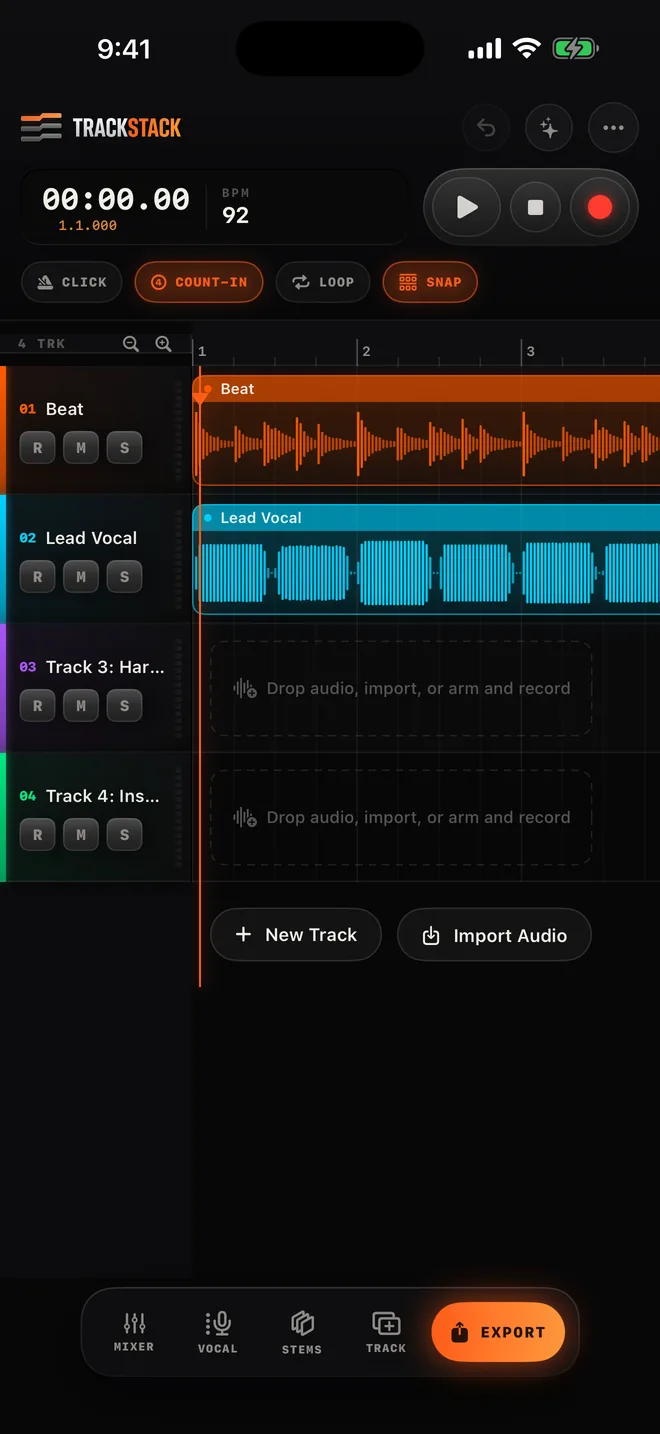
Every take,every track,under control.

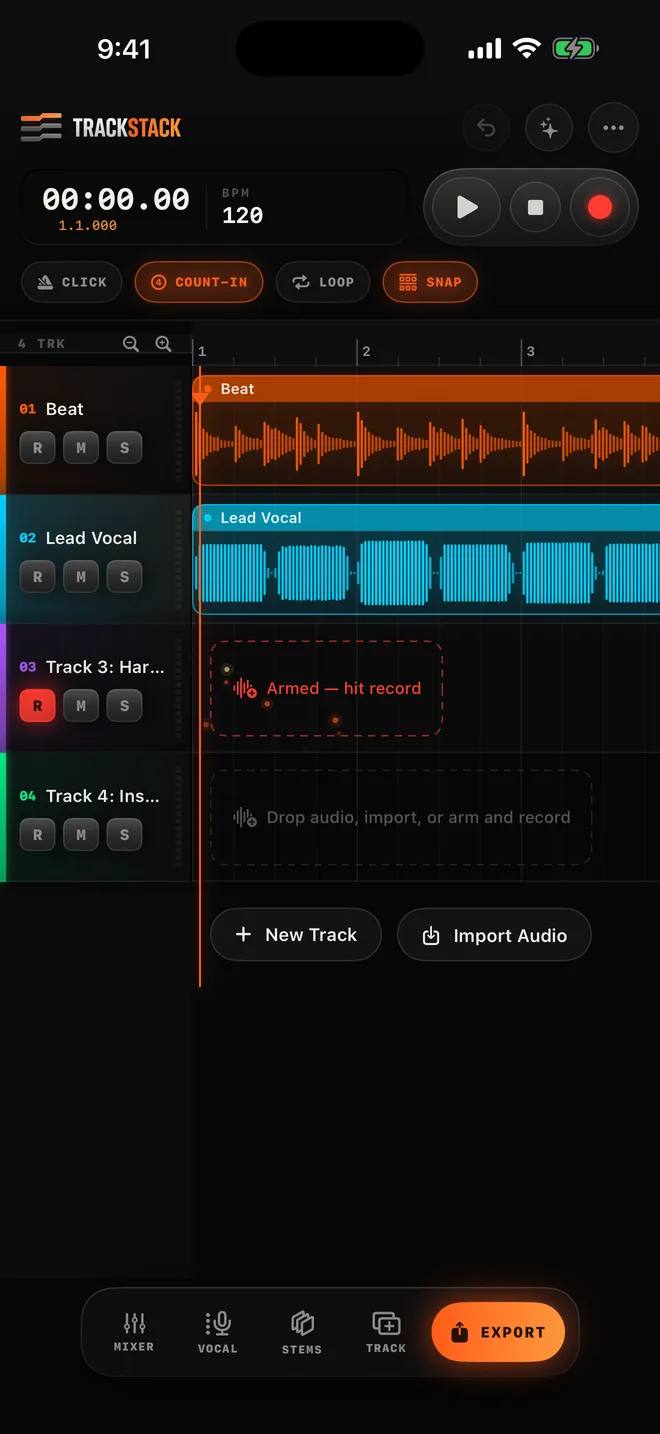
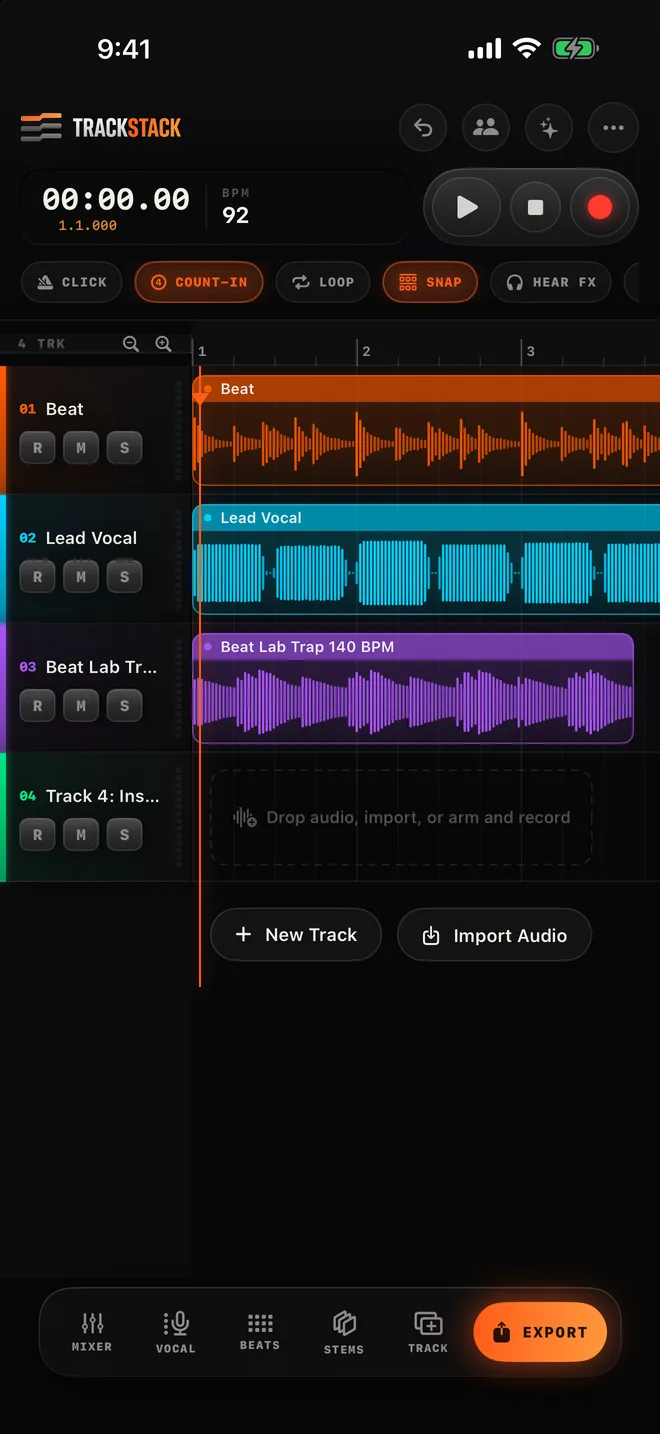
Real multitrack. Real waveforms. A timing editor you can zoom into with a long press. Lyrics on screen while you record. Start points, markers, loops — built by an artist, for artists who don't have time to fight their tools.

0Tracks free, unlimited with Pro
0Animated in-app tutorials
0Streaming-ready mastering
0Platforms: iPhone, iPad, Mac
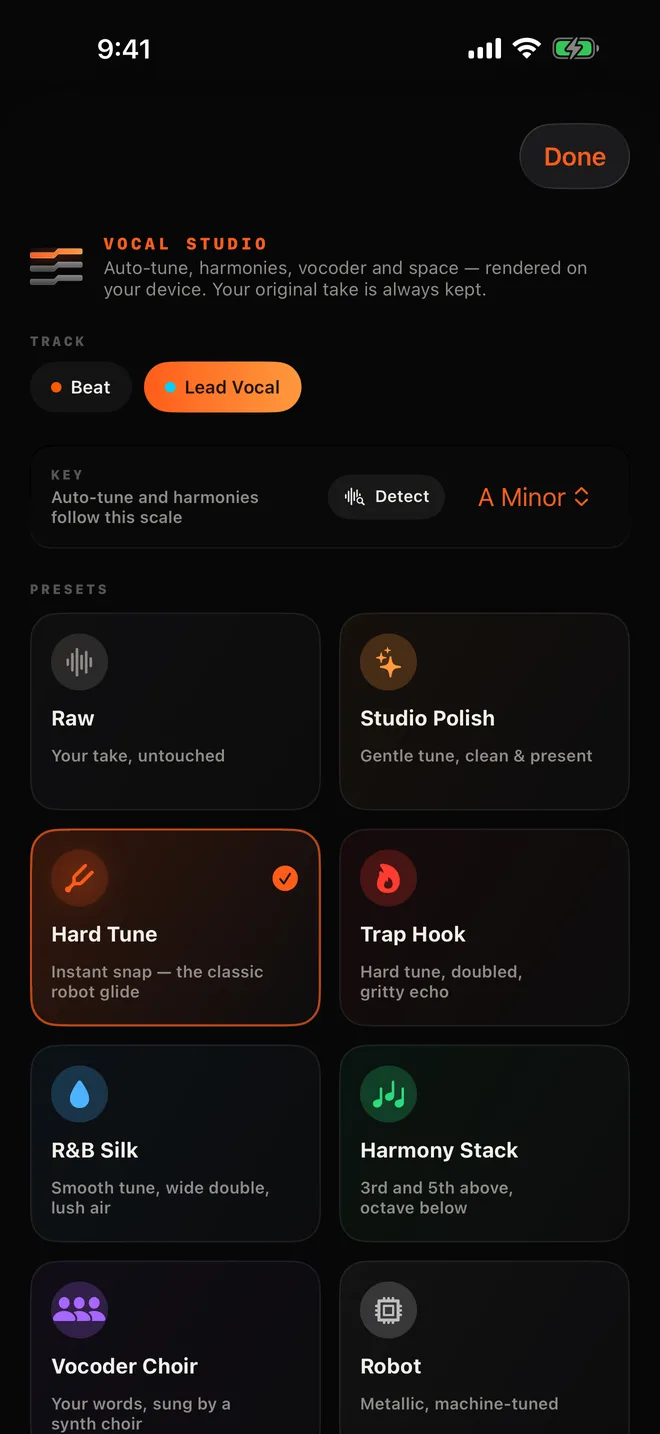
TrackStack arrange view with stacked tracks Vocal Studio presets Mixer with AutoMix Export and mastering TrackStack Pro
01 — RECORD

Hit record. Stay in the pocket.

Count-in, click, pre-roll and a latency-calibrated engine so your vocal lands on the beat — not a hair behind it.

  • Hear Studio polish or Natural Tune in your headphones while you sing
  • Loop-record a section and stack takes back to back
  • Lyrics on screen, synced line by line — no more minimizing the app
02 — FIX

Redo one line. Keep the rest.

Punch in on just the part you missed. Every take is saved, so you can comp the best words from each one into a single perfect performance.

  • Hold the ruler to set a start point — skip the intro forever
  • Long-press any clip for a zoomed timing lens
  • Split, trim, fade, slide and nudge to the millisecond
03 — VOCALS

Studio sound without the studio.

Industry-standard vocal chains: high-pass, EQ, compression, de-essing, saturation, plate and delay — dialed in by ear, not guesswork.

  • Studio Polish, R&B Silk, Trap Hook, Arena, Radio and more
  • Auto-Tune lives in its own tab, with key detection
  • Voice Cleaner removes room noise from phone recordings
04 — MIX

Balanced in one tap.

AutoMix listens to every track and sets levels, pan and EQ by role. Then shape anything with a full channel strip and volume automation.

  • EQ, compression and FX per channel, heard live
  • Draw volume rides right on the lane
  • Beat Lab: kits, 808s, keys and pads to make the beat too
05 — MASTER & SHARE

Finished, loud, and yours.

Balanced, Warm, Punchy, Loud — or Match a Song you love. Export WAV, M4A, stems or a vertical video, and save straight to Files.

  • LUFS report so you know it's streaming-ready
  • Stems for collaborators and engineers
  • Post to the TrackStack feed and grow your fans
06 — PRO

Go unlimited.

Unlimited tracks, every vocal chain, reference mastering, AutoMix, Voice Cleaner and all Beat Lab kits. Seven days free to try it.

  • $9.99 a month or $79.99 a year
  • Cancel any time in your Apple ID settings
Everything in the box

Built to beatthe big apps.

◉

Collab sessions

Save a session to the cloud, invite an artist by @username, and pull their verse into your song. Everyone works on the same project — no file juggling.

NEW
✉

Inbox & alerts

Message artists, get collab invites, likes and follows in one place.

≋

Takes & comping

Every pass saved. Pick the best words from each.

♪

Lyrics sync

Paste your lyrics, tap along once, read while you record.

⌁

Auto-Tune

Natural, Tight, Hard, Harmony, Choir and Robot — with key detect.

▦

Beat Lab

Trap, Boom Bap, Drill, R&B and Afrobeats kits with 808s, keys and pads. Tap the grid, drop it in your song, plug in a MIDI controller.

◐

Match a Song

Load a reference track you love and TrackStack masters your song toward its tone and loudness.

▶

Video export

Vertical waveform videos for TikTok, Reels and Shorts.

⧉

Save to Files

Every export goes anywhere: On My iPhone, iCloud, Drive.

?

17 tutorials

Animated walkthroughs right where you need them.
iPhone · iPad · Mac · iPhone Duo

More screen,more studio.

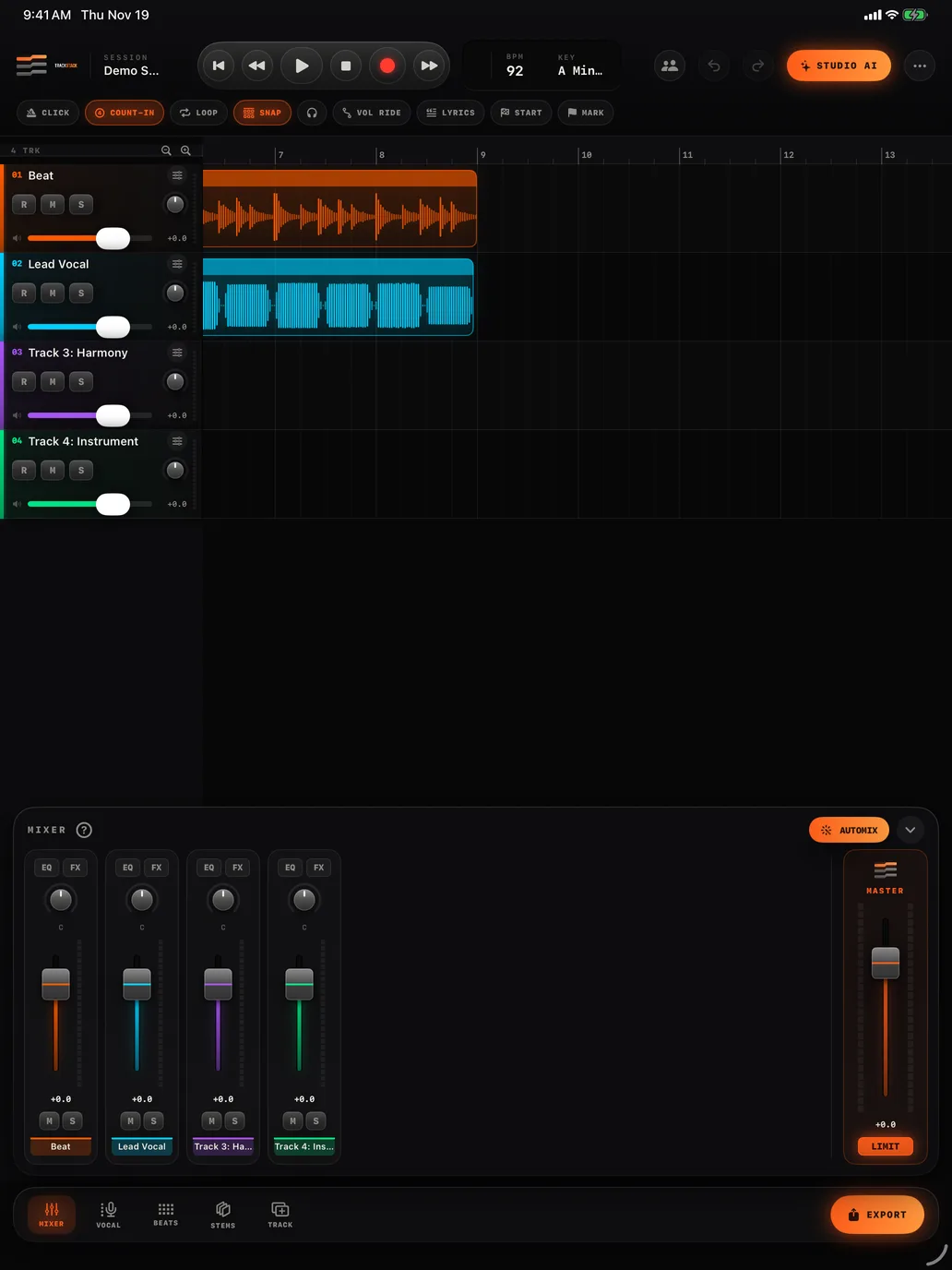
On iPad, Mac and iPhone Duo the mixer and lyrics dock right beside your tracks. Fold iPhone Duo like a book and the studio splits across the hinge.

TrackStack on iPad with the mixer open
Pricing

Start free.Go Pro when you're ready.

FREE
$0
Forever
  • Up to 8 tracks per song
  • Record, punch-in, takes & comping
  • Lyrics on screen
  • Studio Polish & Raw vocal chains
  • Mastering & export to Files
  • Feed, profiles, inbox & collabs
Download free
PRO · YEARLY
$79.99 /yr
7-day free trial · about $6.67 a month
  • Unlimited tracks
  • Every vocal chain & Auto-Tune style
  • Match a Song reference mastering
  • AutoMix & Voice Cleaner
  • All Beat Lab kits & your own sounds
  • Stems & video export
Start free trial
PRO · MONTHLY
$9.99 /mo
7-day free trial
  • Everything in Pro
  • Cancel any time
  • Billed through your Apple ID
Start free trial

Subscriptions renew automatically unless cancelled at least 24 hours before the end of the period. Manage them in Settings → Apple ID → Subscriptions.

Questions

Do I need a microphone or interface?

No. Your iPhone or iPad mic works great, and AirPods work for monitoring. Plug in a USB or Lightning interface and TrackStack uses it automatically — inputs and outputs.

Can I fix one line without re-recording the whole verse?

Yes. Tap the ruler right before the line, hit record, and only what you sing now replaces the old take. Every take is kept so you can swap back any time.

Can I save my finished song to my phone?

Yes. Every export has a Save to Files button — On My iPhone, iCloud Drive, Google Drive, Dropbox or any folder you use. You can also share straight to messages, AirDrop and social apps.

How does collaboration work?

Save your session to the cloud and invite an artist by their @username. They open it, add their part and save back. You tap Get latest to pull their changes.

Who owns my music?

You do. Always. TrackStack only stores your work so the app can sync it and show what you choose to post. Read our Terms and Privacy Policy.

How do I cancel Pro?

Open Settings → your name → Subscriptions on your iPhone, or Me → Manage subscription inside TrackStack. Cancel at least 24 hours before renewal.

TrackStack app icon

Your next songstarts tonight.